

As the business world continues to adapt and change, office environments demand more than traditional desks and chairs. To keep up, the modern workplace must shift with the times and meet the needs of employees. Today’s employees need workspaces that support technology seamlessly, enhance productivity, and promote collaboration. That means technology-integrated office furniture is no longer just a luxury. It’s essential for businesses that want to stay competitive and create environments where teams thrive. Here are the reasons upgrading and updating makes sense, plus ways you can seamlessly integrate technology into your workplace without having to break the bank and lose momentum.
Why Smart Office Desk Solutions Matter
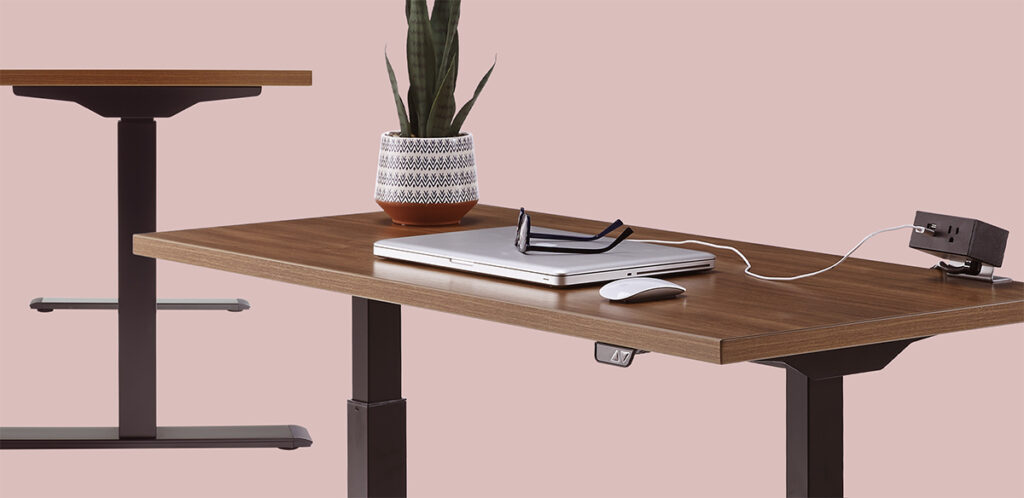
Integrating technology into office furniture addresses critical workplace challenges. When employees can charge devices effortlessly or collaborate in conference rooms without technical difficulties, productivity naturally increases. No more hunting for outlets or untangling cables that disrupt focus and create visual clutter.
Professionals of the current age expect their office environment to match their home tech setups. Technology-integrated furniture helps to meet that need by demonstrating that companies value innovation and employee experience. Office furniture with built-in charging and connectivity features makes employees feel supported and valued, which directly impacts retention and satisfaction.
Being plugged in and tech-ready is only part of the equation, though. Safety and aesthetics are also important and go hand in hand with integrated technology. Exposed wires create tripping hazards and contribute to a disorganized appearance that negatively impacts both employee morale and client impressions. Smart furniture solutions that conceal cables and provide easy access to power help create safer and more professional spaces.
With the prevalence of video conferencing, furniture designed with conferencing technology in mind ensures every space—from individual desks to conference rooms—supports high-quality virtual interactions without technical headaches.
Essential Features for Modern Office Desks

The foundation of every workspace is the desk. With that in mind, modern desks should be able to support today’s digital workflows. Not to mention properly managed cables create cleaner desks, more organized workspaces, and a more professional environment overall.
With employees using multiple devices simultaneously, several charging options at the desktop are essential, not optional. Desks with integrated wireless charging pads eliminate cable clutter on work surfaces while giving employees easy places to charge phones. Desks with USB and USB-C hubs built directly into their surfaces provide convenient access to charging and data transfer for laptops, tablets, and other devices without disrupting workspace aesthetics.
One solution for desktop power access is the pop-up power port. These units sit flush with desk surfaces when not in use, maintaining a clean appearance, then pop up to reveal multiple outlets and USB ports when needed. This approach keeps power accessible while preserving desk space and visual appeal. Advanced models include HDMI ports and Ethernet connections for complete device connectivity.
Conference room furniture with cable management systems integrated into desk design is equally important. Grommets, trays, and channels along the underside of desktops keep cables organized and hidden while maintaining easy IT access.
Designing Technology-Ready Huddle Rooms and Conference Spaces
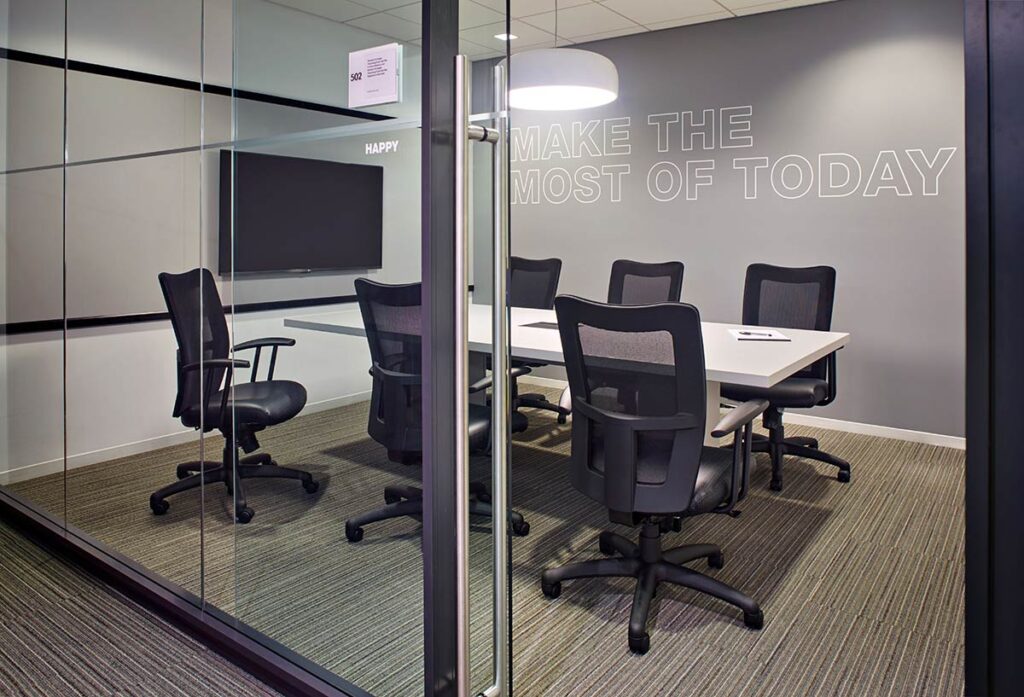
Huddle rooms and conference rooms should be set up to support multiple users with different devices and accommodate various meeting types: From quick team check-ins to client presentations to all-day video conferences, conference rooms need to accommodate all types of meetings.
Start with furniture built to accommodate large displays, video conferencing cameras, and audio equipment. Conference tables should include strategically placed power and data ports so participants can connect laptops without cables stretching across the table. Built-in cable management within the table structure keeps connectivity options accessible while maintaining clean tabletop surfaces.
For video conferencing, arrange furniture to position cameras at eye level and optimize viewing angles. Choose media consoles or credenzas with ventilation and integrate cable management systems designed specifically for conferencing equipment. These can be used to house cameras, speakers, and control panels while keeping everything else easily accessible.
Huddle rooms benefit from mobile furniture with integrated technology. Rolling tables with built-in power strips and charging stations offer flexibility, allowing teams to reconfigure spaces as needed while maintaining power access. Pairing these with height-adjustable tables creates versatile spaces supporting both sitting and standing collaboration.
Wall-mounted displays should be supported by furniture that complements the technology. Console tables beneath wall-mounted screens can house control panels, charging stations for wireless presentation devices, and storage for HDMI adapters and connectivity tools that visiting clients or remote team members might need.
The Power of Wire Management in Professional Environments
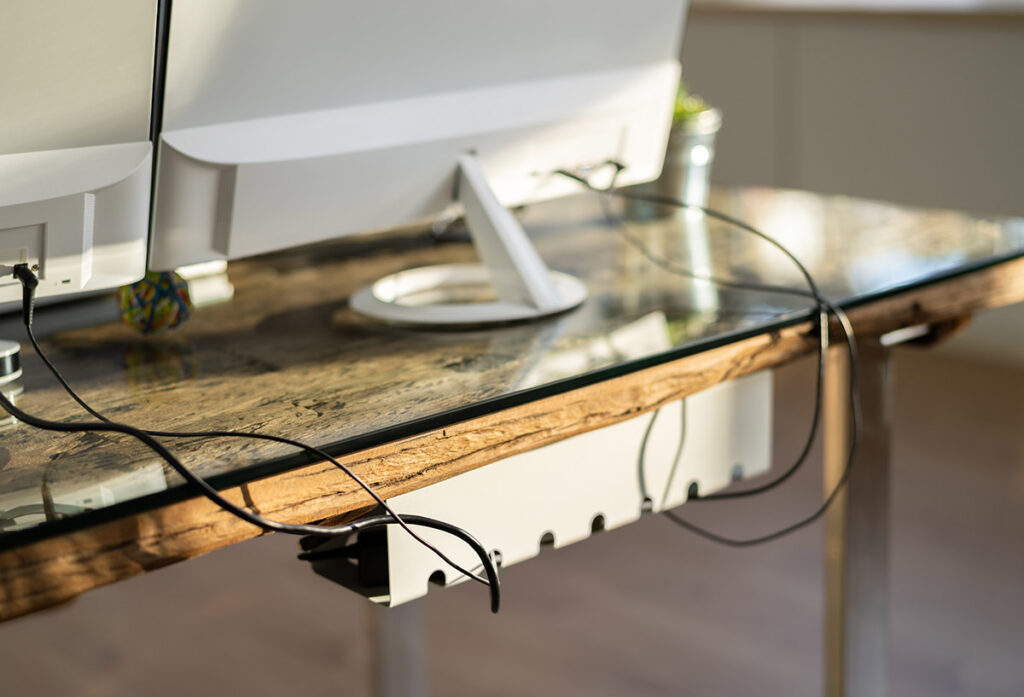
Proper cable management is vital for safety and functionality, while creating more efficient work environments at the same time. Exposed cables create tripping hazards leading to workplace injuries and potential liability. They also collect dust, can become tangled, and generally make cleaning and maintaining office spaces a challenge.
Furniture designed with integrated wire management systems addresses these concerns through strategic design. Desks with built-in channels and trays route cables from power sources to devices while keeping them completely hidden. Conference tables with pop-up connectivity boxes centralize cable management at specific points rather than allowing cables to sprawl across surfaces.
For larger installations, consider furniture systems that create continuous cable pathways. Desk panels, modular workstations, and partition systems can include integrated raceways allowing cables to travel from power sources to individual workstations without exposure. This approach is particularly effective in open office environments where multiple workstations need power from central locations.
When technology integration is planned from the furniture selection stage rather than added as an afterthought, results are dramatically cleaner and more professional.
Transform Your Workspace Today
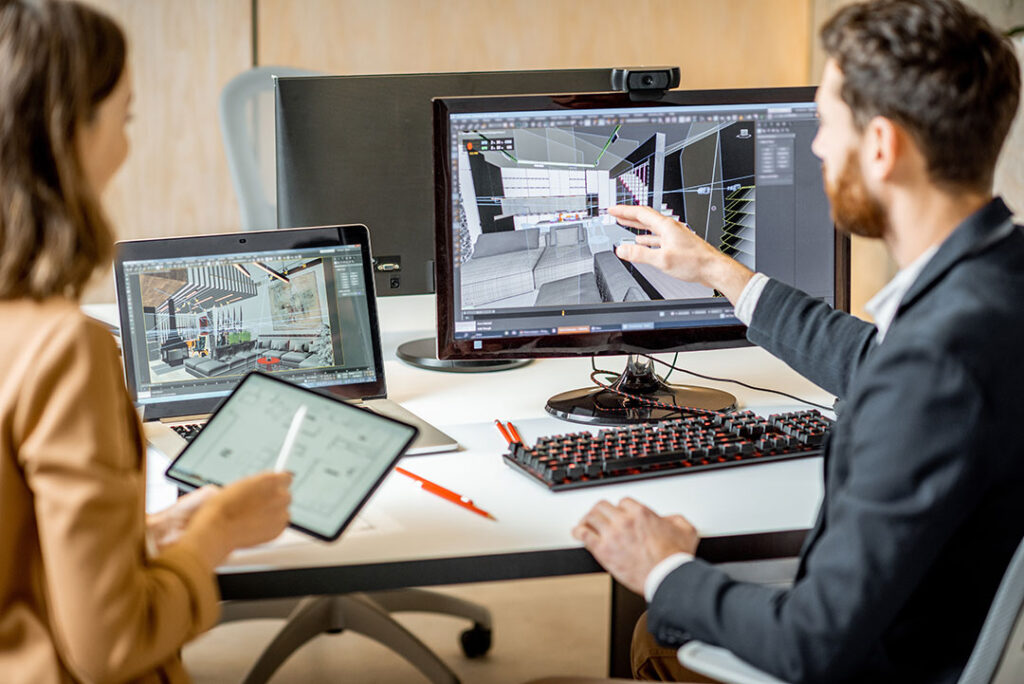
Successfully integrating technology into office furniture requires partnering with experts who understand both furniture design and workplace technology trends. The right partner will assess your specific needs, recommend solutions aligning with your budget and aesthetic preferences, and ensure the installation is handled professionally.
If you’re ready to create a workspace where technology and furniture work together seamlessly, Legacy is here to help. We’ve been serving the New York City area for decades, from corporate to educational to healthcare to government agencies and beyond. Our team offers all the office supplies you need to make your workday smoother, your spaces smarter, and your teams more empowered. With dependable service, tailored solutions, and a team that truly listens to you, we put your needs first, every time.
Technology-integrated furniture can completely transform your workplace. Let’s create an office environment where innovation meets functionality, and where every piece of furniture supports your team’s success.